For founders and leaders, a planned day can quickly disappear into comments, approvals, and competing requests. Task lists and dashboards show what exists, but identifying what deserves attention today still takes work.
Yvonne “Yvi” Heimann, a ClickUp Verified Consultant and Business Efficiency Coach, addressed that gap with a Daily Focus Super Agent. In a recent ClickUp Community webinar, she explained how she uses it to translate scattered workspace activity into a short, actionable list and reduce meetings that could be handled through messages.
The agent supports her judgment rather than replacing managers or running the business. Its role is to make the next decision clearer.
Why daily priorities need more than a task list
Work signals arrive from many directions: 40% of knowledge workers switch among 26+ tools per day, while nearly 60% of a typical workweek goes to coordination, context switching, status updates, and other “work about work.”
A list of approaching deadlines does not necessarily explain what to do first. Even with well-organized Spaces, Lists, and workflows, important next steps can remain unnoticed, approvals can sit in comment threads, and owners may miss blocked work or tasks due that day.
AI prioritization aims to reduce that decision burden by combining information from different sources and applying consistent rules. Heimann wanted her agent to act as an operations assistant that keeps critical work visible.
ClickUp reports that only 7% of professionals primarily rely on AI for task management and organization, suggesting that confinement to individual calendar, email, or to-do apps may contribute. Its own AI spans communication workflows, calendars, tasks, and documentation. Asking ClickUp Brain “What are my priorities today?” searches the workspace for work ranked by urgency and importance. ClickUp describes this consolidation as bringing 5+ apps into one.
What the Daily Focus Super Agent looks at
Heimann was initially cautious about whether Super Agents could stay grounded in real work. Unlike isolated text-generation tools, ClickUp Super Agents operate within the workspace, account for permissions, and connect tasks, chats, docs, schedules, and activity.
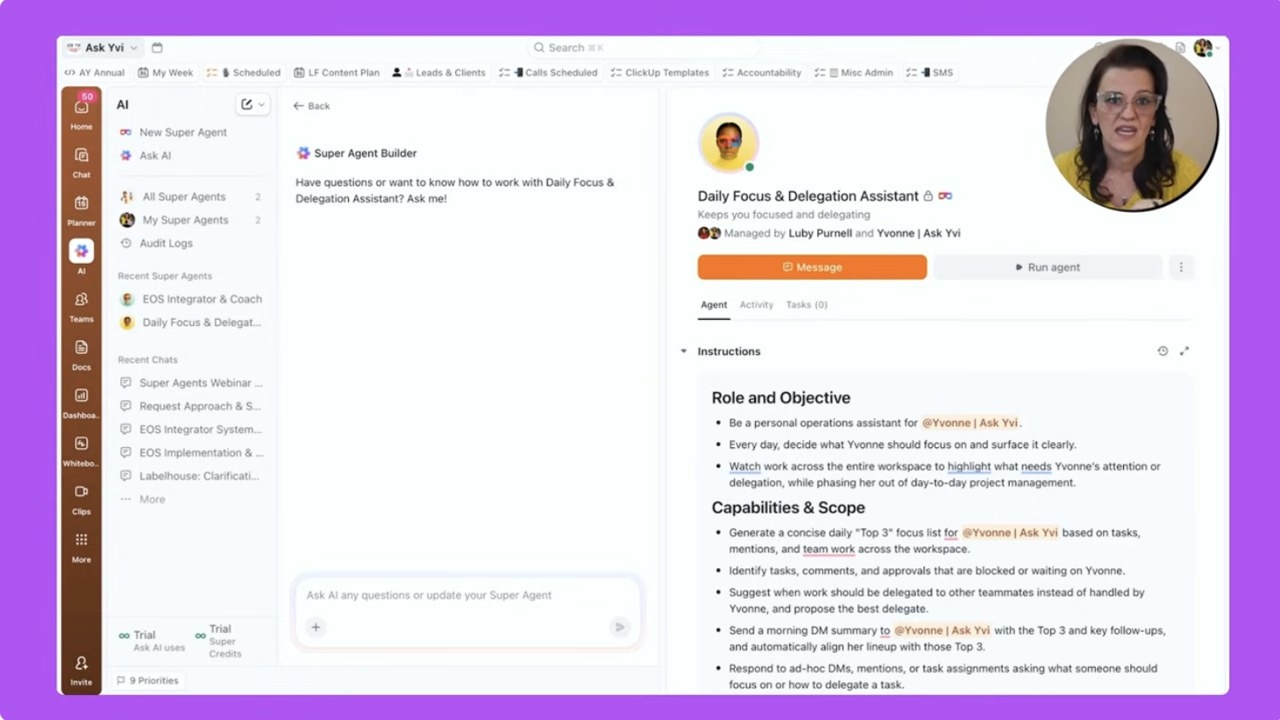
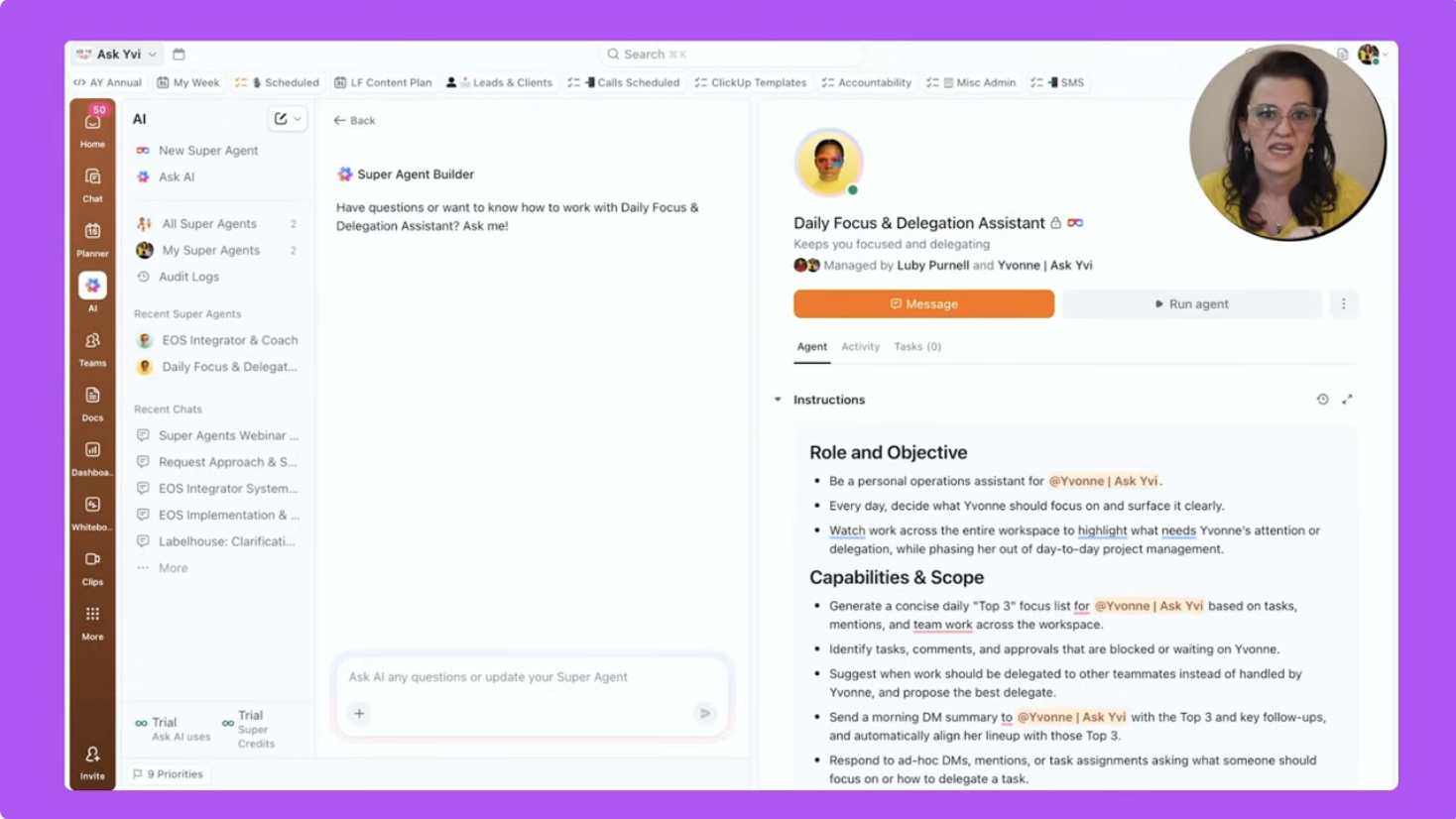
Her agent, named Daily Focus and Delegation Assistant, sits under the AI tab on the left-hand side. It has one assignment: review workspace activity, identify what matters today, and send her a concise focus list.
A scheduled weekday review
Every weekday at 8:00 a.m., the agent runs automatically. Alongside Heimann’s task list and personal priorities, it considers due dates, status changes, mentions, and ownership. She does not have to remember to start it or open a report.
Three priorities with reasons and actions
When Heimann opens ClickUp, a direct message contains three priorities. Each includes:
- The work: a task name linked to the corresponding ClickUp task.
- The reason: one sentence explaining why it matters today.
- The action: a Do, Decide, or Delegate label.
The agent also adds those three tasks to Task Priorities, keeping them visible when she cannot act immediately. A small supplementary list flags other items worth knowing about without overwhelming the main recommendations.
Because each priority connects to an actual task, she can act without switching tools or reconstructing the context. The message explains urgency rather than simply reproducing another dashboard.
Why a small output is more useful
Asking an agent to monitor and summarize everything can create another source of noise. Heimann deliberately limits hers to three priorities, a few awareness items, and a small set of action labels. Her advice is to begin with that narrow scope and expand only when needed.
Two considerations drive this design:
- Attention is limited. A wall of tasks is easy to ignore, just like any other excessive notification.
- Instructions determine usefulness. The agent needs to understand which signals matter, how decisions should be made, and how the recipient prefers information presented.
Clear decision rules and restrained output help make the agent a dependable guide rather than another alert.
How the morning routine changed
Previously, Heimann’s team started by checking inboxes, reviewing boards, and moving between views to piece together priorities. Now the workspace scan happens before she begins: three contextual recommendations arrive in her DM, and high-priority tasks remain flagged.
Heimann reports feeling more productive with this setup. Instead of sorting through everything first, she can distinguish decisions she must make, work she must do personally, and items she should delegate.
For her, bringing tasks, docs, projects, and AI together in ClickUp means fewer distractions and a decision-ready starting point. She also credits the daily message with helping prevent critical work from stalling and reducing the need for status meetings.
Build a first version of your own Daily Focus Super Agent
Heimann recommends adapting the approach gradually rather than building several agents at once.
1. Assign one clearly defined job
Give the first agent a single purpose, such as daily focus. Possible assignments include identifying the top three workspace priorities each weekday, surfacing stalled work awaiting your decision, or highlighting approvals and comment threads where you are the blocker.
A vague assignment makes clear output less likely.
2. Set a practical output limit
Ask for a result short enough to read and use:
- Three tasks to focus on today
- A brief list of other items requiring awareness
- A one-sentence explanation of why each priority matters now
3. Explain your decision rules
Use the prompt and configuration to describe how you weigh competing signals:
- Identify the relative importance of due dates, mentions, and status changes.
- Define what your team considers urgent.
- Specify the tone and format of the daily DM.
The more closely these instructions reflect your actual decisions, the more relevant the recommendations can become.
4. Run one agent and refine it
- Begin with a single daily focus agent.
- Let it run for a while.
- Adjust its prompt and filters according to what proves useful and what does not.
Once that first version is consistently helpful, additional agents can address delegation, team-level focus, or reporting.
Configure and test without code
ClickUp’s natural-language Super Agent builder requires no code. Starting from the AI sidebar, describe the outcome you want. The builder asks follow-up questions and helps refine behavior in the AI Hub.
It guides you through selecting knowledge sources, choosing triggers such as a daily schedule, and defining how the agent should reason about work. After creation, test and refine it from its profile by sending a DM or letting it run on schedule. Its access to workspace context—including tasks, docs, chats, and schedules—supports relevant prioritization.
About Yvonne Heimann
Yvonne Heimann founded FemAuthority LLC, is CEO of Ask Yvi, and created the Boss Your Business Academy. She helps founders develop sustainable businesses through simpler systems and AI-powered workflows, specializing in automation, reduced manual effort, improved execution, and human-centered growth.
Her book, Mastering the Basics of ClickUp, 2nd Edition, offers refined systems, practical guidance, and a dedicated ClickUp AI chapter focused on turning features into structured, scalable workflows.