
Facing an unclear workload on Monday can create stress and contribute to burnout. A weekly work plan makes the week ahead more predictable by organizing your tasks, priorities, and deadlines before they become overwhelming.
What is a weekly work plan?
A weekly work plan is a task management tool for organizing the work you need to finish during the coming week. It helps you allocate time proactively, meet deadlines, and see both your daily schedule and the broader week.
Include meetings as well as tasks so you do not overload days that already have substantial meeting commitments. A ready-to-use work schedule template can help you map priorities, track availability, and balance workloads in one view. For longer or more detailed projects, a work plan template can also capture task owners, deadlines, and milestones.
Four steps to build your weekly work plan
Gather your tasks in one place
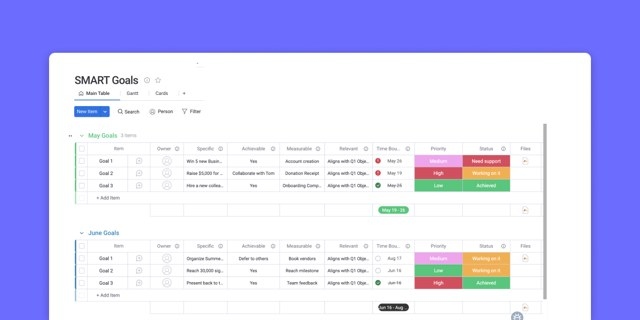
Start by listing everything you need to do. A digital to-do list makes tasks easy to sort and prioritize without the risk of losing a paper list. A to-do list template provides a structure for recording tasks, deadlines, and priorities together.
Tools such as Asana let you attach supporting information to tasks without overcrowding the list itself. Keep everything in a single place that you can return to whenever you need to check what comes next.
If capturing all your responsibilities is difficult, try the Getting Things Done (GTD) method. It brings your thoughts into one organized system rather than leaving you to remember and mentally juggle them.
Assign deadlines and work backward
Give every action item a due date. Those dates help determine when each task needs your attention.
Estimate how long a task will take, then count backward from its deadline to establish the latest point at which you should begin. For example, if a manager needs next month’s social media content calendar by Friday morning and it normally takes about three days, start no later than Tuesday.
Set priorities alongside timelines
Consider importance as well as deadlines. Divide longer-term projects into smaller pieces that you can work on each day, rather than postponing them until a last-minute rush.
In a work management tool, add priority labels to tasks. These labels clarify your focus for both you and your teammates, and you can update them whenever priorities change.
Make planning a weekly habit
Reserve time every week to review and organize upcoming work. Friday afternoon and Monday morning offer different advantages.
Planning on Friday means you can begin Monday with a clear task list. It can also help you disconnect over the weekend because you already know what awaits you.
Planning on Monday lets you account for work that arrived while you were away. This can suit people whose tasks depend on others, including sales and customer success teams, particularly when correspondence is likely to arrive over the weekend.
Ways to make your plan more useful
Review unfinished work before adding more
Look back at what you completed last week and identify anything that must carry forward. Consider those remaining tasks when assessing the coming week’s workload. A large backlog may indicate that you have taken on too much.
If you need to reduce your workload, consider these options:
- Discuss feeling overworked with your manager.
- Delegate some tasks to teammates.
- Use an Eisenhower matrix to clarify priorities.
- Say “no” to more projects.
Match demanding work to your available energy
Tasks differ in how much concentration they require: big-picture planning can take more mental effort than a quick email reply. On meeting-heavy days, schedule work that requires less mental energy. This balance can help you avoid early-week exhaustion and reduce the tendency to postpone most of your work until the week ends.
Leave room for regular breaks
Include breaks in your daily schedule rather than filling every available moment with tasks. You can combine a weekly work plan with the Pomodoro method or time blocking method to build pauses into your workday.
Automate task organization where possible
A work management tool can reduce the time spent maintaining your plan. For example, Asana can automatically gather tasks you need to complete into one section of your task list, so you do not have to select them manually.
How weekly planning helps your team
Make deadlines easier to manage
A week-at-a-glance view lets you focus on manageable actions instead of worrying about everything at once. Breaking larger project plans into smaller steps also helps you meet deadlines, allowing teammates to move smoothly into their portions of the work.
Keep dependent work moving
Prioritize tasks that others are waiting on. Completing these dependencies can reduce bottlenecks, keep projects moving, and limit the need for status updates, leaving more time for important work.
Give teammates visibility into your schedule
When your plan lives in a digital work management tool such as Asana, teammates can see what you are working on and when. That visibility reduces back-and-forth communication and helps everyone coordinate their weekly plans.
Digital planning tools such as Asana also support project templates, task automation, and an overview of the workweek, bringing these planning activities together.