A crowded calendar, an expanding task list, and constant notifications can leave you feeling overwhelmed despite having plenty of productivity tools. A Bullet Journal (BuJo) offers something different: a quiet, physical place to think and decide what deserves your attention.
The appeal might begin with a Leuchtturm1917, washi tape, and MUJI 0.38 mm Gel Ink Pens. But the lasting value is not the stationery. It is the opportunity to clarify priorities, reflect, and mark progress without another screen.
That strength does not automatically extend to deadlines, shared projects, or complex planning. Research links handwritten notes with better focus and memory recall. A meta-analysis also finds that analog approaches support deep comprehension, but are less effective for cross-referencing, fast navigation, and real-time updates. Paper can support insight while struggling with scale.
The useful question is not whether a notebook can replace every productivity tool. It is which work belongs on paper—and which work needs something else.
Medical disclaimer: This article discusses productivity methods and tools. It does not replace professional medical advice, diagnosis, or treatment for ADHD or any other health condition.
How Bullet Journaling Began
Ryder Carroll, a digital product designer living with ADHD, developed the Bullet Journal as a flexible analog system for tasks, events, and notes. He described his experience of scattered attention as “trying to catch the rain.” Over two decades, he refined a notebook-based method to bring order to that experience.
In The Bullet Journal Method (2018), Carroll explains that conventional planners were too restrictive and digital apps too distracting. Research on Attention Disorders similarly describes how people with ADHD develop personal time-management systems using external supports such as planners, calendars, and digital tools.
Other studies in the same journal report that handwriting rather than typing can significantly improve retention and understanding for people with ADHD. Writing provides a pause in which to process information before moving on.
Carroll gradually combined shorthand symbols, rapid logging, and modular logs through years of experimentation. It remained a personal workaround until a friend encouraged him to share it. After its public introduction in 2013, the method spread rapidly: within five years, #bulletjournal had reached a million uses on Instagram.
Its audience extended far beyond people with ADHD. Many recognized the same struggle with excessive input, distraction, and forgotten responsibilities. The method offered an adaptable structure rather than another fixed planner.
Why a Paper Notebook Became a Cultural Movement
By the late 2010s, endless feeds, notifications, and overflowing inboxes had made a notebook feel like an alternative to the attention economy. Opening a journal became a way to reclaim attention as well as organize work.
Privacy and room to think
A paper notebook has no platform owner, algorithm, or digital data breach. Its pages do not track activity, send nudges, or monetize what you write. For people dealing with sensory overwhelm, past trauma, or persistent digital noise, that private space can be foundational rather than merely pleasant.
Information systems research shows that perceived surveillance can alter self-expression in digital environments even without actual data collection. In The Age of Surveillance Capitalism, Shoshana Zuboff argues that platforms do more than extract information: they influence how people think, speak, and express themselves. A notebook offers a place to work without that invisible audience.
Reddit and Instagram communities turned this preference into a shared culture of craft, reflection, and resistance to screen-driven distraction. Washi tape, watercolor, and typography also made journaling a creative ritual. For some people, careful page design is itself a form of mindfulness.
For others, presentation becomes an obstacle. Comparing a functional notebook with polished online spreads can shift the goal from understanding your life to displaying productivity.
Different cultures, different priorities
The practice also reflects local concerns. In the U.S. and Europe, it is often presented as a blend of creativity and mindfulness. In Japan, it is closer to kaizen, or continuous improvement. Brazilian BuJo communities frequently connect it with financial planning in volatile economies. The same format can express a desire for calm, precision, or resilience.
The Building Blocks of the Bullet Journal
Rapid logging
Rapid logging captures information in short phrases instead of full sentences. Three basic symbols distinguish entries:
- A dot (•) marks a task.
- A circle (○) marks an event.
- A dash (–) marks a note.
This shorthand helps you record a thought before your attention moves elsewhere. Cognitive psychology research indicates that externalizing thoughts reduces cognitive load, freeing working memory for problem-solving.
The four core logs
- Index: Reserve the opening pages for a table of contents that grows with the notebook. Start a topic such as “Project Notes” or “Books to Read” on any blank page, then record its title and page number in the Index. Related material does not have to occupy consecutive pages.
- Future Log: Keep a spread near the front for tasks and dates in the months ahead. It provides a high-level holding space for events, deadlines, and goals without crowding daily pages. You must remember to consult it, however; unlike a digital calendar, it cannot sync automatically or send reminders.
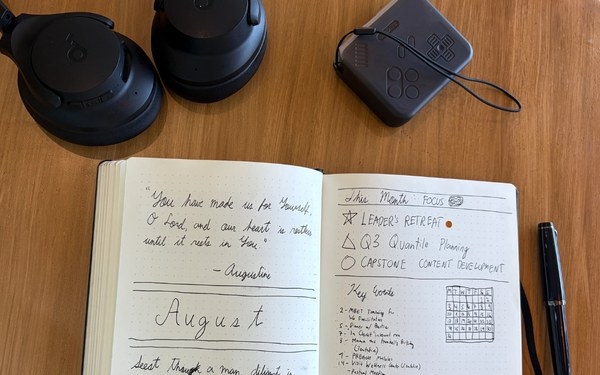
- Monthly Log: At the beginning of each month, create an overview, usually with a calendar page for events and a task page for monthly responsibilities and goals.
- Daily Log: Write the date and begin rapid logging. Use as much space as the day requires, whether that means three lines or three pages, without leaving unused planner sections behind.
Collections and spreads
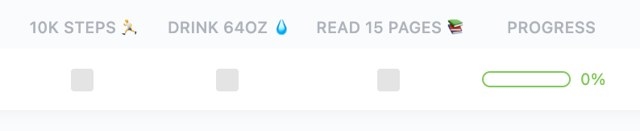
A Collection is a page devoted to a particular subject beyond the core logs: meeting notes, gift ideas, a budget, a reading list, or a mood or habit tracker.
Begin on the next blank page and add the Collection to your Index. A spread consists of one or more pages serving a particular purpose or period, such as a weekly task-and-appointment overview, monthly calendar, or pages for notes and trackers. Spreads form the building blocks of collections.
To avoid building trackers you will abandon, keep a master “Collection Ideas” page at the back. Record a proposed list or tracker there first. If you still need it a week later, give it a dedicated page.
Where Bullet Journaling Starts to Struggle
When inspiration turns into comparison
A fresh notebook can make planning feel manageable again. Online inspiration can also turn that useful beginning into an aesthetic competition, with elaborate artwork and lettering making a plain task list seem inadequate.
Research into social comparison suggests that measuring your work against idealized examples, including polished Pinterest spreads, can increase discouragement and burnout.
Buying more markers or designing elaborate layouts may begin to displace the work the journal was meant to support. Spending 45 minutes preparing a spread used for 10 minutes, then feeling guilty about a missed day, is a warning sign.
Psychology describes this pattern as perfectionism: excessive concern about mistakes, overvaluing appearance, and difficulty accepting something good enough. It can encourage delayed action, prioritizing form over function, and harsh reactions when plans go wrong. The journal becomes a display rather than a working tool.
Migration: useful review or repetitive copying?
Migration asks you to reconsider unfinished tasks by rewriting them. The intended filter is simple: if something is not worth writing again, perhaps it is not worth doing.
That pause can become drudgery, especially when layouts take 45 minutes to recreate or “Call dentist” reappears for the sixth month. The same friction that encourages reflection can make maintenance exhausting.
Threading across pages and notebooks
Threading connects related material using color-coding or page-number references within or across notebooks. It works neatly when “Candle-Making Project Notes” begins on page 15 and continues on page 63. After a year and three notebooks, retrieving a specific idea may require following a confusing chain of references.
The analog ceiling
A physical notebook has structural limits that decoration and better habits cannot remove:
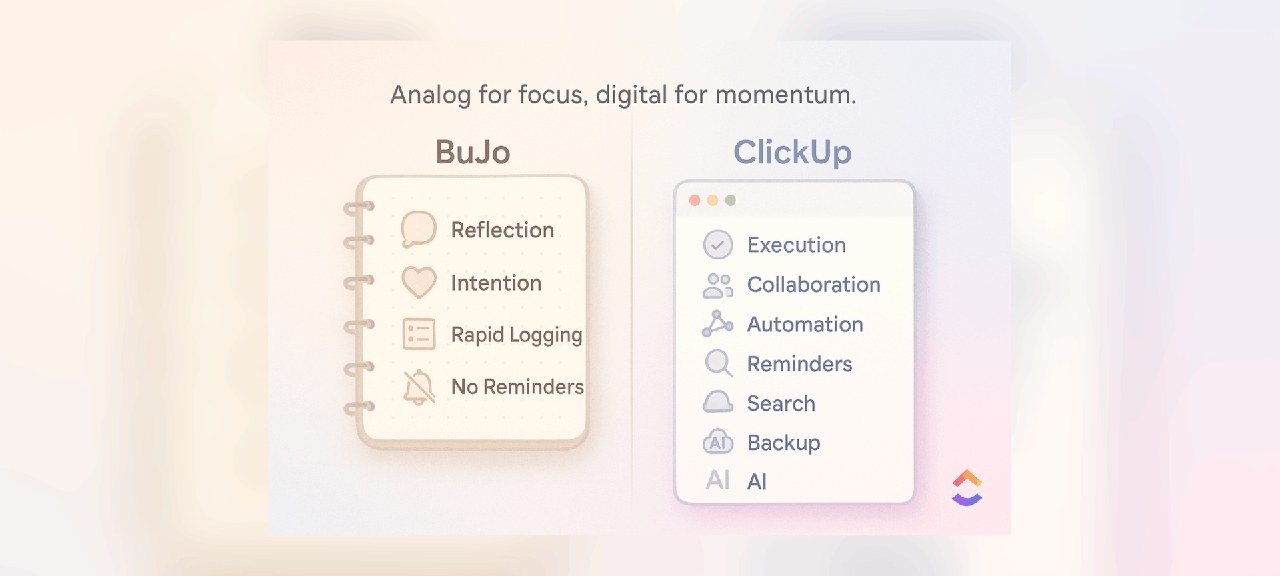
- No reminders: It cannot alert you before a 3 p.m. call.
- No collaboration: A team cannot directly build on your private pages.
- No search: An idea recorded in March may be difficult to locate.
- No backup: A coffee spill can destroy six weeks of notes.
Trying to make the notebook responsible for everything can turn missed entries, forgotten migrations, and incomplete logs into another source of guilt. The initial sense of control may give way to frustration after six months and half-used spreads after a year. That pattern reflects the system's limitations, not necessarily a personal failure.
Some people do make an entirely analog system work through consistent routines and personal adaptation. Others—particularly those coordinating teams, projects, or ADHD-related needs—find that maintaining it eventually costs more than it returns.
Separate fatigue from a capability gap
Burnout from ornate pages or overplanned days calls for simplification, not automatically digitization. A functional paper system may simply need fewer demands.
Missed deadlines caused by absent reminders, disorganized projects, or irretrievable ideas are different. Those are capability gaps. The answer is not necessarily to abandon the journal, but to stop expecting it to handle every kind of work.
Paper and Software Can Have Different Jobs
Analog-first users have legitimate reasons to resist apps. Each additional digital feature can introduce another inbox, distracting chat loop, or stream of notifications. Choosing paper can be a deliberate way to protect attention rather than a refusal to modernize.
Yet collaboration, time-zone differences, and complex projects need support that paper alone cannot provide. The purpose of a hybrid approach is to preserve the notebook's calm by moving coordination elsewhere.
Carroll developed a flexible framework, not a requirement for analog purity. Some BuJo purists consider apps a dilution of the practice; Carroll instead emphasizes adaptability. For neurodivergent users, an analog-only setup without reminders, search, or cross-references can itself become overwhelming. Research reports that lightweight digital prompts, including SMS reminders, significantly improve engagement and follow-through among adults with ADHD.
- Think on paper: Capture scattered thoughts, plan your day, and decide your next three moves.
- Coordinate in software: Assign owners, automate recurring work, identify blockers, and maintain the shared record.
Three common assumptions deserve reconsideration: an exclusively analog system is not inherently more productive; a messy notebook is not necessarily failing; and digital support does not always undermine concentration. Used intentionally, it can protect focus.
A toolbox rather than a single solution
A notebook is suited to deliberate thinking. Research finds that handwriting encourages deeper reflection than typing by slowing cognition. That pause can help you untangle ideas and consider priorities before committing to them.
A digital workspace is suited to speed and scale: recurring tasks, cross-functional projects, deadlines, and dependencies. Kanban Boards, reminders, and searchable archives make work trackable and shareable rather than dependent on memory.
According to McKinsey, effective use of digital collaboration tools brings a 20–30% improvement in team efficiency.
Practical ways to divide the work include:
- Let recurring tasks resurface automatically instead of repeatedly migrating routine chores.
- Use searchable Docs as a second brain for information you need to retrieve later.
- Set reminders for commitments that paper cannot bring back to your attention.
- Use AI to convert notebook brainstorming into action plans without manually transferring everything.
A Daily Routine for a Hybrid System
Keep the notebook functional, not flawless
Your journal is a private working space. Crooked lines and untidy handwriting do not diminish its value if writing helps you clarify a thought. Its benefit comes from deliberate engagement, not the finished page's appearance.
Keep sprawling project plans, collaborative meeting notes, client deadlines, and five-year goals in a digital workspace. Its role is to hold administrative detail so you can devote more attention to thinking.
Move between reflection and execution
In the morning, consult the digital master list and use your notebook to choose the three tasks that matter most. The notebook becomes a small, focused selection from a much larger set of possibilities.
Ideas can move in the opposite direction. Let a sketch, mind map, or rough paragraph develop on paper without demanding immediate structure. When it becomes a project requiring collaborators and deadlines, move it into the digital workspace.
Another planning option is the 1-3-5 rule: bring one big task, three medium tasks, and five small tasks into your journal each day. The aim is balanced progress rather than an unrealistically long list.
- Morning sync: Review your digital to-do list, then write 3-5 priorities in your journal that would make the day successful.
- Workday execution: Use the digital workspace to collaborate, update progress, and manage project complexity. Keep the notebook nearby as a reminder of your chosen focus, not as another inbox.
- Evening shutdown: Before closing your laptop, revisit the journal. Briefly note what you completed and what you learned. Treat this as reflection and closure, not another administrative audit.
Using ClickUp Alongside a Bullet Journal
ClickUp is one example of digital support for a paper-based practice. Rather than reproducing a notebook, it can handle recurring reminders, searchable information, long-term coordination, and collaboration.
Digital does not automatically mean better. Automation can become overengineering, while app notifications, nudges, and attention-based business models can create fresh distractions. The digital side should remove low-value maintenance, not recreate the same chores in another format.
The source also points to onefourosix_ from r/bujo as sharing this perspective. The broader principle is to choose useful support, not accumulate features.
ClickUp Recurring Tasks: less rewriting, less filtering
ClickUp Recurring Tasks can bring routine work back automatically after you set it up once. That reduces repeated copying and the burden of remembering.
The tradeoff is that low-value tasks may also continue indefinitely. Handwritten migration was not only busywork; it forced a decision about whether a task still deserved attention. Automation removes some of that filter.
ClickUp Docs: retrievable information
ClickUp Docs provides a searchable archive for notes, outlines, and developing ideas. You can tag and link material, organize docs by topic, embed them into tasks, and connect collections that would otherwise be spread across notebooks.
Fonts, colors, and layouts also offer room for visual expression. But easy storage can encourage keeping everything, turning a useful archive into clutter. A notebook's tendency to let material fade can sometimes help you release what no longer matters.
To connect physical and digital archives, create an “Index of Indexes” in one ClickUp Doc. After finishing a notebook, spend five minutes recording its key collections and their page numbers in that searchable document.
ClickUp Reminders: prompts paper cannot send
A notebook stays silent even when a commitment needs attention. ClickUp Reminders supplies a timely digital prompt, while indexed, searchable information helps you retrieve decisions recorded long ago. Software can carry that remembering burden without requiring you to copy the same chores every month.
ClickUp Brain: turning rough ideas into structured work
A notebook can hold arrows, doodles, fragments, and unfinished thoughts without demanding a tidy format. ClickUp Brain takes the opposite role: extracting and organizing that material so it can enter a project workflow.
- Transcription: Convert handwriting or spoken notes into text.
- Extraction: Identify tasks within freeform writing.
- Structuring: Turn loose brainstorming into outlines or draft plans.
- Integration: Bring the resulting material into the system used for projects, deadlines, and collaboration.
That transformation makes ideas findable and actionable, but it can smooth away the creative texture of the original. For neurodivergent thinkers and creatives whose ideas arrive and disappear quickly, the backup may feel helpful; for others, the loss of texture may feel like erasure.
After brainstorming on paper, you can photograph the pages or record a voice note in ClickUp Brain to transcribe and organize the material into digital tasks, project outlines, or reminders.
- Provide a document to ClickUp Brain.
- Ask it to create tasks and action items.
- Use the resulting sorted digital version and extracted action items for easier access.
If extended handwriting becomes uncomfortable, ClickUp Brain MAX Talk-to-Text lets you dictate notes instead. ClickUp Brain MAX also allows switching between ChatGPT, Claude, Gemini, and ClickUp's own model for work such as brainstorming, summarizing, or translating.
Bullet Journaling in an AI-Supported Workflow
Research indicates that people with ADHD benefit most from external systems combining analog reflection with adaptive digital support. Handwriting can deepen thought, support memory, and clarify priorities; reminders, search, and flexible structure address needs a notebook cannot meet alone.
Tools such as ClickUp Brain can turn handwritten notes into structured tasks, build outlines from rough mind maps, and identify three leading priorities in a large backlog. The aim is to preserve the journal's reflective pace while reducing the administration around it.
The risk of outsourcing too much thinking
AI introduces its own costs:
- Over-automation
- Overdependence
- Data exposure
- Outsourcing decisions
Even a system that works as intended can weaken mindful attention if it starts deciding for you. Faster autopilot is not the same as greater clarity. The appropriate work to offload is administration, not the reflection the journal was meant to encourage.
Choose support according to the friction
- Use paper for clarity: Slow down when thoughts are tangled or attention is scattered.
- Use software for reliable coordination: Store projects, deadlines, and details that should not depend on memory.
- Use AI to extend your thinking: Extract tasks, recover overlooked ideas, and make rough material usable at scale without surrendering judgment.
You do not need all three. What matters is recognizing where your current system struggles. A notebook cannot manage scale by itself, an app cannot do your thinking, and AI without intention can become another source of noise.
Keep the Practice Useful Rather Than Performative
Bullet journaling began as a response to a difficult everyday need, not an art project. Research on social media behavior suggests that turning tools into performance platforms can introduce comparison pressures that undermine their benefits.
You can deliberately step away from that competition. A useful journal may be untidy, incomplete, and entirely private. Its purpose is to capture and clarify real life, not present a polished version of it.
The article's broader argument favors combining paper and digital support rather than choosing sides. ClickUp is one option for that support, not a requirement. Let the notebook retain the work it does well, and use other tools where its limits become obstacles.
Frequently Asked Questions About Bullet Journaling
1. What does bullet journaling involve?
Ryder Carroll's analog method combines rapid logging, monthly task lists, and topic-based collections in one adaptable notebook. It helps you capture thoughts quickly, organize responsibilities, and review priorities without a fixed planner layout.
2. How should a beginner get started?
- Set aside opening pages for an Index.
- Create a Future Log for upcoming events.
- Add a Monthly Task List for goals.
- Start a Daily Log using brief, bulleted entries.
Build consistency before adding elaborate spreads. Once the basics work, experiment with collections and layouts suited to your life.
3. What belongs in a Future Log?
Use it for events, deadlines, and goals in the months ahead. It keeps future commitments out of today's pages while giving them a clear holding place. Some users move this function into digital tools when they need reminders or recurring tasks.
4. Can bullet journaling help with ADHD?
Carroll created the method to manage his own ADHD-related difficulties with focus and task overload. Externalizing information can reduce cognitive load. However, missing reminders, search, and collaboration can become obstacles; the article favors a hybrid approach that pairs paper-based reflection with digital execution.
5. Which bullet journal ideas support productivity?
- Habit and mood trackers
- Project collections, meeting notes, and reading lists
- The 1-3-5 approach to daily tasks
- Monthly progress reviews
The most useful option is one you will keep using. Simple, personal pages can serve you better than intricate designs.